Aussie Kids Code
Enrolments open for next term · Perth & online

Help your child build software,
not just scroll past it.

Small-group coding classes for children from age 7, taught by software engineers who work in the industry.Three progressive levels take them from block-based coding to Python, AI and robotics.

3–5 students per class · 1 hour per week · $350 per term

lesson 04 - from blocks to Python
BLOCKSPYTHON# draw a spiralpensize(2)foriinrange(40):color("orange")forward(10 + i * 4)right(100)print("done")▶ RunOUTPUTSame program, three ways to see it.Inspire students drag the blocks. Upskill students type the Python. Master students ask why the angle changes the shape.

What students explore

  • Code.org
  • Scratch
  • Python
  • HTML & CSS
  • Mobile apps
  • PyGame
  • Data science
  • Generative AI
  • Cyber security
  • Robotics
  • Cloud computing
  • Animations
  • Playable games
  • A published web page
  • An app on a phone
  • Turtle graphics
  • A working chatbot
  • Charts from real data
  • A robot that navigates
  • Their own project, finished

…and what they build with it · hover to pause

2015Teaching since
400+Students taught
3–5Kids per class
$350One school term
A typical class

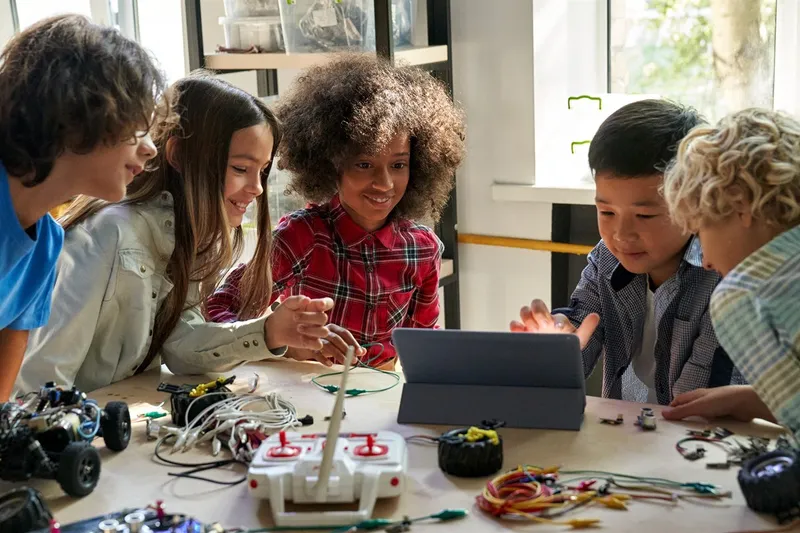
A classroom experience.

Small tables, real laptops, and the moment something a kid built finally works.

Three levels, one path

Where does your child fit?

Every level runs weekly through a 10-week school term, in groups of three to five.

Level 01

Inspire

Basic computational-thinking concepts in a graphical programming environment.
  • 45–60 min weekly
  • Mostly in person
  • No experience needed

Topics

Computer Basics · Online Safety · Code.org · Scratch

Explore Inspire →
Level 02

Upskill

The same concepts applied in an industry-standard programming environment.

  • 60 min weekly
  • Online
  • Scratch project first

Topics

Python Basics · Web Development · Mobile Development

Explore Upskill →
Level 03

Master

Real-world, challenging problems - including robotics and electronics.

  • 60 min weekly
  • Online + in person
  • Confident with code

Topics

Python Advanced · Data Science · PyGame · Generative AI · Cyber Security

Explore Master →
Why coding for kids?

The point isn't a job in tech.
It's computational thinking.

The ability to use computer-science skills to approach problems in all areas - that's the part your child keeps, whatever they end up doing.

A core skill, like language and maths

Coding now sits alongside the fundamentals. Learning it early opens doors long before your child has to choose a direction.

Relevant to every profession

Doctors, accountants, researchers, media professionals - all of them now work with data and automation. Coding is how you stop being at the mercy of it.

The honest bit

It's like learning music.

Not a short-term exercise. It needs time, investment and practice - around an hour a week between classes. Which is exactly why starting early beats starting later.

Bill Gates

“Learning to write programs stretches your mind, and helps you think better.”

He talked his way onto a school teletype in the 1960s and never really got off it. He left Harvard to start Microsoft, and its software ended up on almost every desk in the world.

  • Microsoft
  • Altair BASIC
  • First program at 13
Steve Jobs

“Everybody should learn how to program, because it teaches you how to think.”

He started Apple in a Californian garage in 1976 with Steve Wozniak, was pushed out of his own company, then came back and rebuilt it. He cared as much about how a thing felt to use as about what was inside it.

  • Apple
  • Macintosh
  • iPhone
Mark Zuckerberg

“Ideas don’t come out fully formed. You just have to get started.”

He was writing software for his father’s dental practice while still at school, and Facebook came out of a university dorm room. Meta now spends its days on AI and virtual reality.


  • Facebook
  • Meta
  • Built Facebook at 19
Bill Gates
Co-founder of Microsoft
Steve Jobs
Co-founder of Apple
Mark Zuckerberg
Co-founder of Facebook and Meta
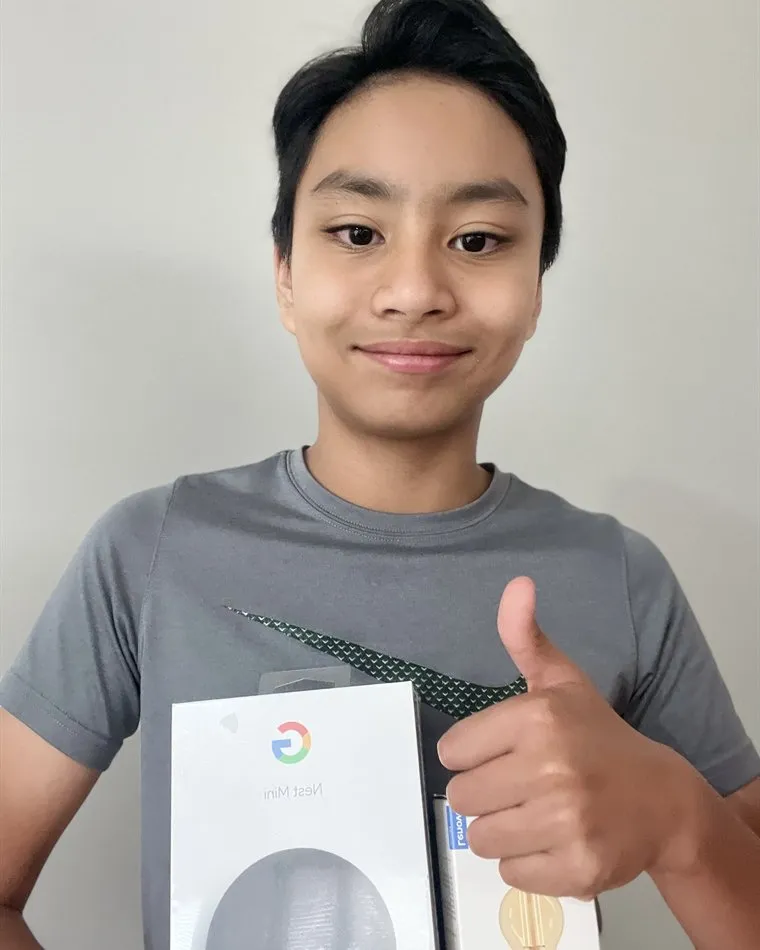
Elijah Skye Valencia holding the Google Home Mini he won as Student of the Term
Student of the term · Term 3, 2022

Meet Skye.

Elijah Skye Valencia started with us at Inspire and was never out of ideas - he would not stop until he had a chance to try one out in Scratch. He is at Upskill now, teaching himself machine learning on the side, and he wants to be a computer engineer and a Roblox game coder.

“You have to be persistent so that you don't give up on your dreams - and in the end you can create a cool game or a cool app that other people enjoy, so you make them happy.”
Skye's advice to other kids learning to code
  • Year 5
  • Inspire → Upskill
  • Won a Google Home Mini
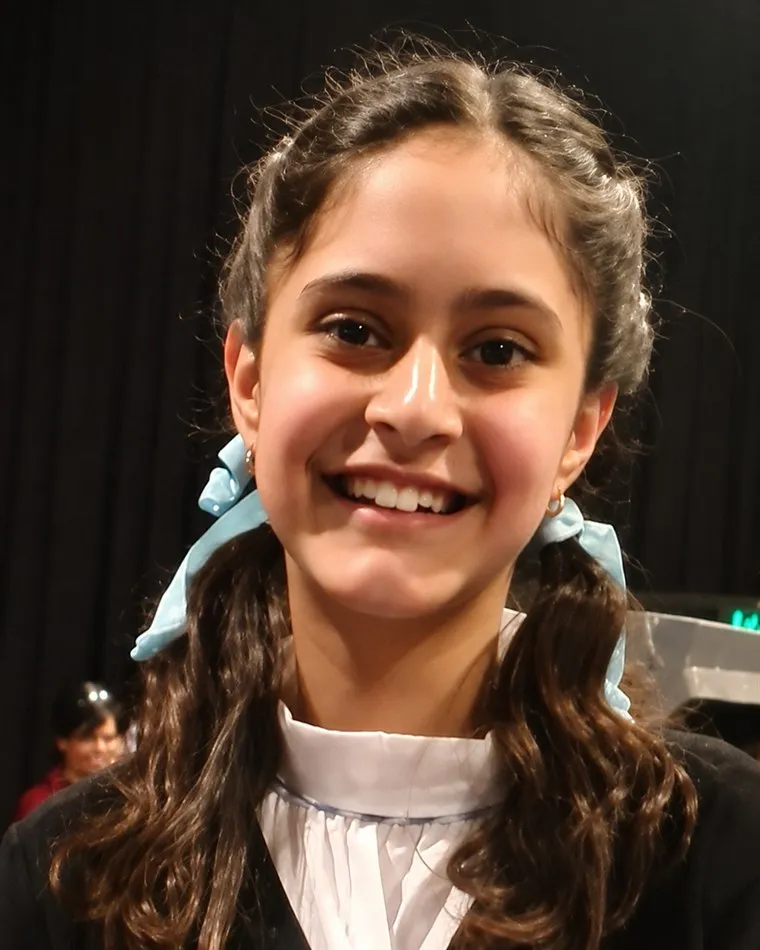
Mishka, Student of the Term for Term 2, 2022
Student of the term · Term 2, 2022

Meet Mishka.

Mishka started with us at Inspire and is blossoming into a good Python programmer at Upskill. We still remember how she brought her passion for music and art into Scratch, and the creations that came out of it.

She is in Year 6 at Carey Baptist College, and in her spare time she reads, listens to music and sings. Mishka wants to be an astronomer - keep aiming for those stars.
  • Year 6
  • Inspire → Upskill
  • Won a Google Home Mini & smart light
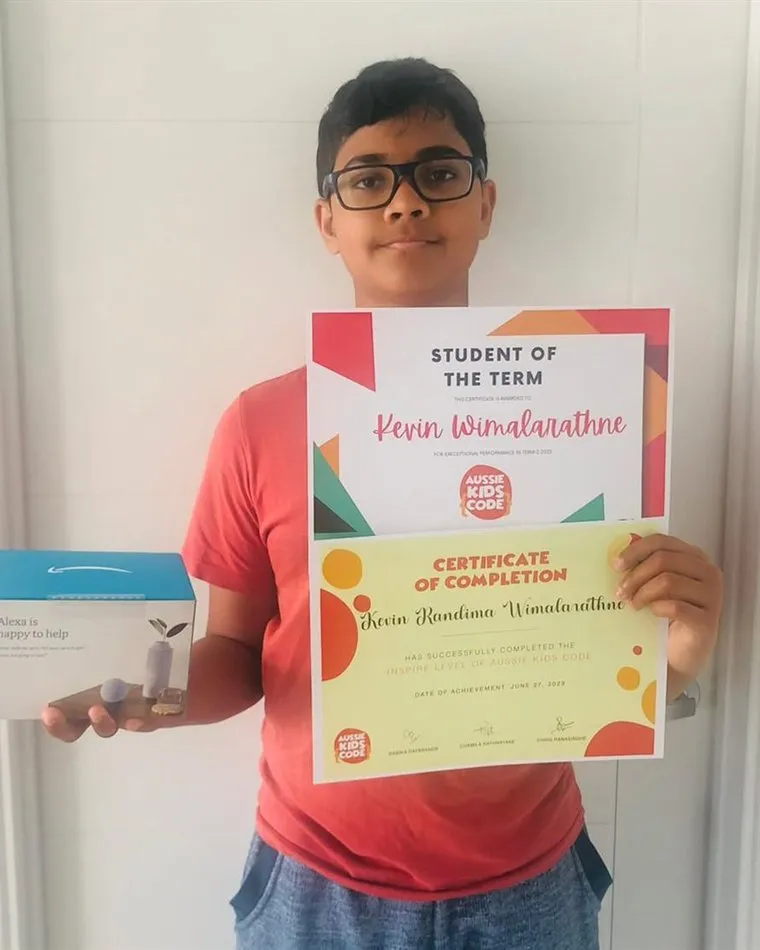
Kevin Wimalarathne holding his Student of the Term certificate and his Inspire level certificate
Student of the term · Term 2, 2023

Meet Kevin.

Kevin Wimalarathne took out Student of the Term for exceptional performance, and finished the Inspire level that same June. The second certificate in his hands is the one every student is working towards before they move up to Upskill.

Inspire is where it starts for most kids: online safety, the core ideas of programming, and enough Scratch to build something they actually want to show someone.

  • Completed Inspire
  • June 2023
  • Won an Amazon Alexa
Four questions, thirty seconds

Find your child's starting level

Answer honestly rather than optimistically - a child placed a level too high spends the term catching up instead of creating.

Question 1 of 4

How old is your child?

Question 2 of 4

How much coding have they done?

Question 3 of 4

What would they most like to build?

Question 4 of 4

What suits your family better?

Recommended

Start with Inspire.

Topics
Class length
Format

Not sure? The first day is in person for every student - we confirm the level with you then.

What students explore

The whole curriculum, in one place.

Filter by level or by how it's delivered, then open any topic to see what your child actually builds.

Level
Delivery
Before anything else: how a computer actually works, and how to be safe on it. Code.org begins with online safety for a reason - it's the one lesson that matters whether or not your child ever writes another line of code.
  • Files, folders, keyboard fluency and saving work properly
  • Passwords, privacy and what not to share online
  • Recognising scams, ads and manipulation
A platform jointly funded by the major US tech firms - Microsoft, Google, Amazon and Facebook among them. It starts with basic online safety and teaches most of the core concepts of programming, all graphically.
  • Sequence, loops and conditionals
  • Events and simple functions
  • Debugging: finding the one block that's wrong
Created by MIT and already used in some Australian schools. Students build a series of projects using progressively more blocks - the point isn't the blocks, it's finishing something you designed yourself.
  • Animations and interactive stories
  • A playable game with score and lives
  • Their own project, start to finish - the gateway to Upskill
The jump from blocks to text. Everything they already understand - loops, conditions, variables - now typed out, with the computer telling them off when they get it wrong.
  • Variables, types, input and output
  • Loops, conditions and functions
  • Turtle graphics - instant visual feedback (try it in the playground)
The web is the only platform where a child can build something and send the link to their grandparents ten minutes later. We use that.
  • HTML structure and CSS styling
  • Making pages work on a phone as well as a laptop
  • A personal page they actually publish
Students design and build an app, then open it on a phone. The constraint of a small screen and a thumb teaches more about design than any lecture.
  • Screens, buttons and navigation
  • Storing data between sessions
  • Using the phone's sensors
Where code stops being a script and becomes a program someone else could read.
  • Classes, modules and reading other people's code
  • Files, APIs and error handling that doesn't hide problems
  • Writing tests, and why they save time rather than cost it
Real data is messy, and that's the lesson. Students load a dataset they care about and find something in it that nobody told them was there.
  • Loading, cleaning and questioning data
  • Charts that tell the truth
  • An introduction to machine learning
The game loop, collision detection, sprites and sound - written from scratch rather than dragged from a palette.
  • Game loop, frame rate and input handling
  • Collision detection and physics
  • A finished, playable game they can share
Every child now has AI on their phone. This is the difference between a kid who prompts and a kid who understands what's happening underneath.
  • How language models actually work, without the hype
  • Building something real with an API
  • Hallucinations, bias and why you still have to check
Taught from the defender's side: how attacks work, so your child recognises one aimed at them or at your family.
  • How passwords are broken, and what actually protects them
  • Phishing, social engineering and safe habits
  • Encryption basics - the maths that keeps secrets
Code that moves something in the physical world fails in ways screen code never does - which is exactly why it's worth doing. These sessions run in person.
  • Circuits, sensors and motors
  • Programming a robot to navigate and react
  • Debugging when the problem might be the hardware
Getting a project off your own laptop and onto the internet, where other people can use it - the step that turns an exercise into a thing that exists.
  • Deploying a project so it has a real URL
  • Where data is stored, and who can see it
  • Why "it works on my machine" isn't finished

No topics match that combination - try Any delivery, or a different level.

Key highlights

Four things worth knowing up front.

The practical details parents ask about before they enrol - how classes run, how big they are, who teaches them and what it costs.

Learn online or face-to-face

Weekly classes, online
or face-to-face.

Our classes are held weekly, either online or face-to-face, for up to one hour through the school term.

In-person classes run in Piara Waters, Perth. Online classes run anywhere in Australia, and the first day is in person for every student either way.

TERM · 10 WEEKSUp to 1 hour, every weekONLINEIN PERSON
Individual attention

Small groups of no
more than five.

Classes are composed of small groups of up to only five kids, which is what makes personalised, individual attention possible.

Nobody hides at the back or waits twenty minutes for help. If your child is stuck, we know within a minute.

Qualified teachers

Professional engineers,
university qualified.

All of our teachers are professional software engineers with university qualifications in computer and electronics engineering.

They work full time at software companies in Perth, and have been teaching here since 2015 - it started with their own kids.

URRDCRSINCE2015Computer & electronics engineering professionals · Perth
Affordable fees

$350 a term, with
nothing to lose.

Our term fee is only $350, and we provide sibling discounts for families with more than one child in a class.

It is fully refundable if you are not happy after the first lesson - so the decision is never bigger than one class.

PER TERM$350Sibling discountsRefundableafter the firstlesson
How it works

From enquiry to first class: four steps

Tell us about your child

Age, what they've tried, and the times that suit you. Two minutes on the enrolment form.

We place them in a level

We suggest a level from what you've told us, and confirm it with you before the term starts.

First day, in person

Every student, every level. We meet your child and make sure the tools work before anything else.

Weekly, for a term

Ten weeks, three to five kids per group, plus about an hour of practice between classes.

Where each level runs

  • Most Inspire classes are in person
  • Occasional online Inspire class for older kids
  • Upskill and Master run online
  • Electronics and Robotics is in person

What you'll need

  • A laptop for in-person classes, or a computer for online - there may be an option to borrow one
  • A Google email address, so we can add your child to the classes
  • No prior experience for Inspire

Fees

$350 / term

Approximately 10 sessions. Homework provided every week. A higher start needs a Scratch project your child completed on their own.

Questions parents ask

Before you enrol

We take students from around age 7. Younger children can code, but the weekly rhythm and hour of homework work better once reading is comfortable. There's no upper limit - Master students are often in high school.
Yes - if they can complete a project in Scratch on their own, start to finish. That's the test we use, because it shows the thinking is there, not just familiarity with an app.
$350 per school term, which is approximately 10 sessions, with homework provided every week. Classes are three to five kids, so the attention per child is high.
Not for most of it. We're based in Piara Waters, Perth, and also serve families in Melbourne and online Australia-wide. The first day is in person, and electronics and robotics sessions are in person - everything else in Upskill and Master runs online.
A laptop for in-person classes or a computer for online ones, plus a Google email address so we can add your child to the classes. There may be an option to borrow a laptop for in-person classes - ask us.
Maybe, maybe not - and that's fine. Many of our 400+ former students now study or work in computer engineering, but the reason to do this is computational thinking, which is just as useful to a doctor, an accountant, a researcher or a media professional.
Enrolments open for next term

Let's make your kid a creator.

Tell us a little about your child and the times that suit you. We'll confirm the level together on the first day.